


The SCORM format has become an essential standard in the field of online training. Used by businesses, educational institutions and training organizations, it ensures the interoperability and effectiveness of instructional content. This technical standard makes it easier to manage training systems and report learning data.
Thanks to its widespread adoption, the SCORM format supports the creation of consistent, measurable learning experiences tailored to business needs. It also integrates perfectly with an LMS tool to optimize your training courses.
Let's find out what SCORM is, its benefits, and how to integrate it effectively into your training.
What is SCORM?
SCORM stands for Sharable Content Object Reference Model. Developed by the Aviation Industry CBT Committee (AICC), this standardized management system allows online training content to be used across different LMS (Learning Management System) platforms. SCORM's technical specifications, established by the ADL (Advanced Distributed Learning) team, define how interactive instructional content communicates with the learning environment.
SCORM is based on key principles:
- The creation of shareable, reusable content in the form of modules
- Interoperability guaranteed by strict technical specifications
- Learner tracking via a standardized API, which makes it possible to track their status (completed, in progress) and their scores
Since its first version in 2000, SCORM standards have evolved considerably. Successive versions like SCORM 1.2 and SCORM 2004 have expanded the possibilities available to content creators, particularly in terms of packaging and learning data reporting.
Changes to the SCORM standard
Since its introduction, SCORM has gone through several major iterations:
SCORM 1.0 (2000): the initial version, laying the groundwork for interoperability. Although basic, it laid the foundations of the standard and defined the first communication methods between content and management systems.
SCORM 1.2 (2001): a widely adopted version, with improvements in tracking data management and better stability. This version remains compatible with most platforms in use today.
SCORM 2004: bringing advanced features such as sequential learning paths (simple sequencing) and improved communication between content and the LMS. This version notably allows for more granular management of learner progress.
These developments notably paved the way for alternatives such as Tin Can API (xAPI), offering extended capabilities for tracking learning objectives and aggregating content.
To learn more, see our article on the differences between xAPI and the SCORM format
What does a SCORM file contain?
A SCORM package comes as a ZIP file containing all the elements needed to run it on an e-learning platform. The SCORM package includes:
- A manifest file (imsmanifest.xml): a reference document describing the structure and Learning Object Metadata, allowing the platform to load the content correctly
- Instructional content: multimedia resources, converted PowerPoint presentations, videos, PDF resources, etc.
- Sharable Content Objects (SCOs): reusable modules that comply with the specifications, containing the interactive content
- API scripts: ensuring direct communication with the LMS management system and making it possible to track learner progress
This package model makes it easier to import and export training courses between different SCORM-compatible platforms.
The benefits of the SCORM standard for training
Adopting the SCORM format offers many benefits for organizations looking to optimize their online training strategies:
Interoperability
SCORM content is compatible with most LMS platforms on the market, avoiding compatibility issues when migrating from one platform to another. This flexibility allows training organizations to switch LMS without losing their existing content.
Precise learner tracking
SCORM makes it possible to record key data, such as time spent on each module, scores obtained and steps completed, offering an overview of learner progress. This data is crucial for evaluating the effectiveness of training and adjusting content if needed.
Content retention
SCOs can be reused in different courses or contexts, reducing content creation costs. This modularity is particularly beneficial for organizations with varied training needs.
Optimizing the user experience
SCORM content is designed to offer smooth navigation and increased interactivity, improving the learning experience. Learners benefit from an intuitive interface and easy access to resources.
How do you create SCORM training?
Creating SCORM content requires a methodical approach and specialized tools. The development challenges are numerous: ensuring compliance with technical specifications, optimizing production costs and guaranteeing an effective learning experience.
The creation process breaks down into several steps
- Preparing the instructional content
- Structure your learning objectives
- Organize your materials (presentations, documents, media)
- Define your CMI (Computer Managed Instruction) tracking points
- Developing the module
- Import and transform your existing materials
- Add interactive elements
- Integrate the data reporting specifications
- Export and packaging
- Generate a package that complies with SCORM standards
- Check for the presence of the imsmanifest.xml file
- Create the ZIP file containing all the elements
- Testing and validation
- Import the module into your LMS management system
- Check communication via the SCORM API
- Test the reporting of learning data
Recommended tools and software
Several tools make it easy to create SCORM content:
- iSpring Suite: a complete solution for converting PowerPoint presentations
- Articulate Storyline: an advanced creation tool for complex interactions
- Adobe Captivate: professional software for creating online courses
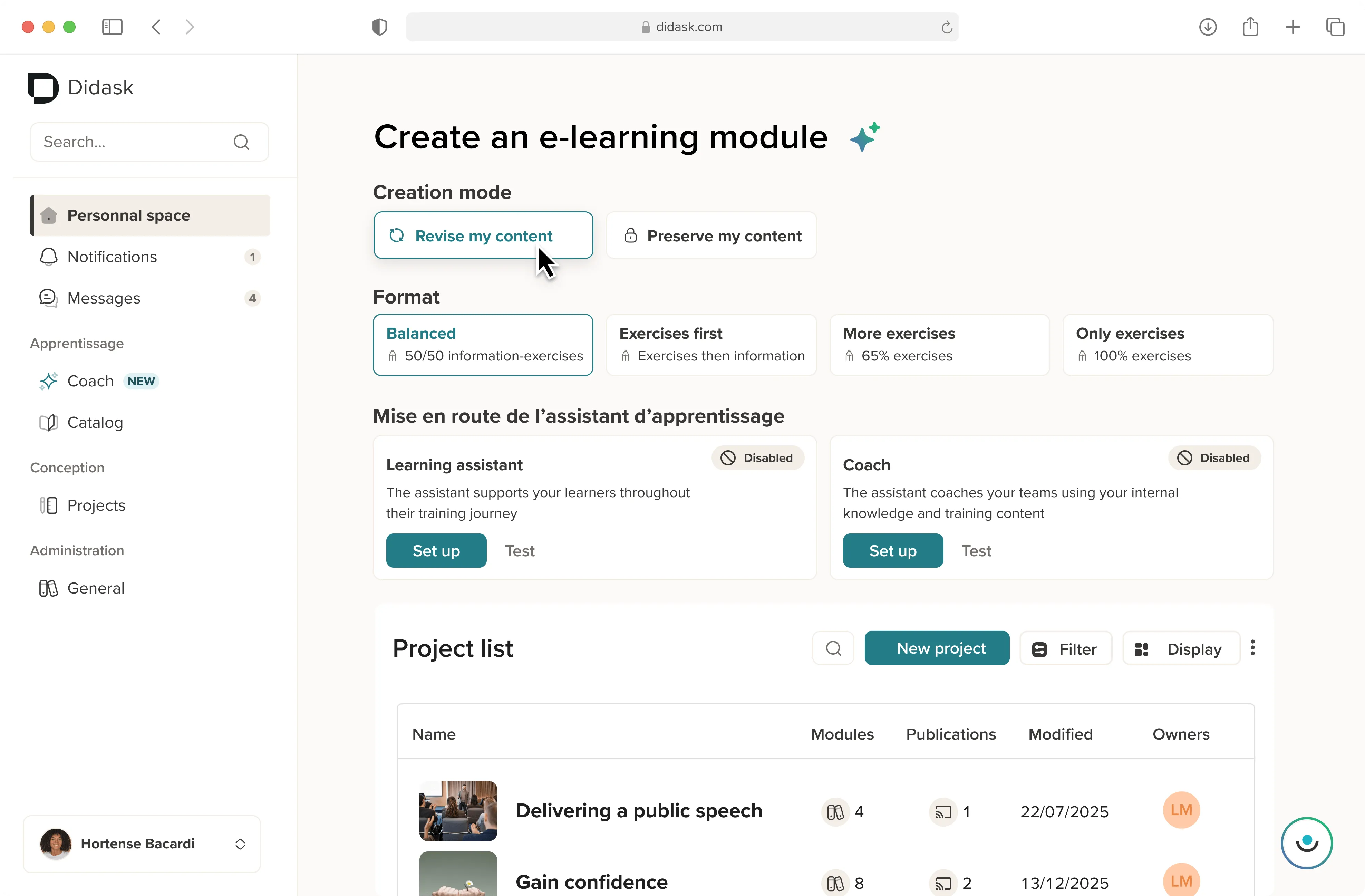
- Didask: a platform based on pedagogical AI that automatically turns your existing content into optimized SCORM modules
How do you add a SCORM course to an LMS?
Deploying a SCORM module on your training management system involves several technical steps:
- Accessing the LMS environment
- Log in to your platform
- Access the content management interface
- Importing the package
- Download your ZIP file containing the SCORM package
- Check compatibility with your version of SCORM
- Configure the runtime settings
- Configuration
- Define the tracking rules
- Set the pass thresholds
- Establish the reporting methods
Why choose SCORM for your training courses?
The SCORM format is a smart choice for any organization looking to optimize its training strategies. Its universal compatibility, precise data tracking and ease of use make it an ideal standard for creating effective learning paths. By combining SCORM with a powerful online training platform like Didask, you can transform your employees' learning experience. In addition, SCORM allows for gradual evolution, incorporating new technologies to meet learners' changing expectations.
Whether you are a beginner or an expert in online training, understanding and using the SCORM format can significantly improve the effectiveness of your content. With its many benefits, it remains an essential pillar of e-learning, while integrating perfectly with emerging technologies.
So, ready to adopt the SCORM format for your next training courses? Take the first step toward more effective and engaging online training today!
.webp)
.webp)
.webp)

.webp)
.webp)


.png)